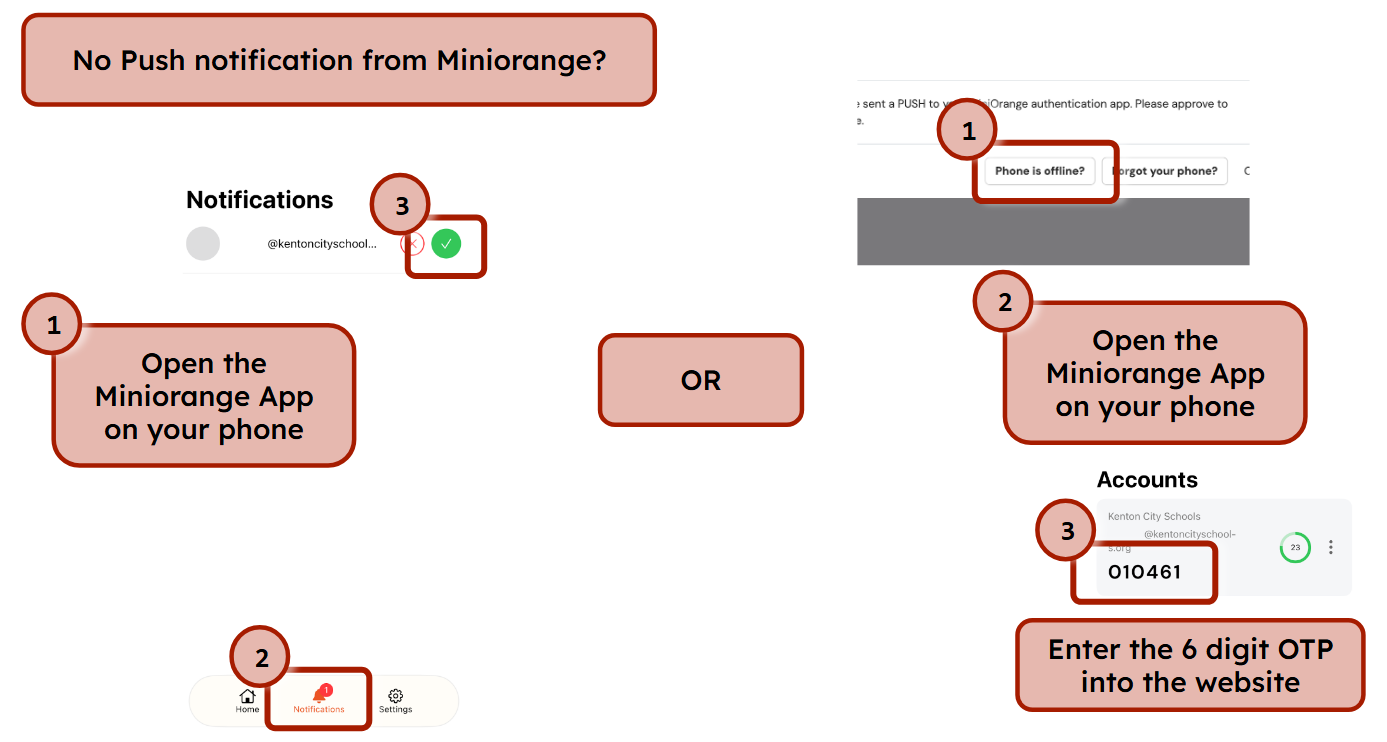
If you don't receive a push notification on your phone, you have two options:
1. Open the Miniorange app on your phone.
2. Click the Notifications bell at the bottom of the screen.
3. Click the green checkmark beside your notification.
OR
1. Click Phone offline?
2. Open the Miniorange app.
3. Enter the 6-digit code into the field.
Was this article helpful?
That’s Great!
Thank you for your feedback
Sorry! We couldn't be helpful
Thank you for your feedback
Feedback sent
We appreciate your effort and will try to fix the article