Thj
Starting the system
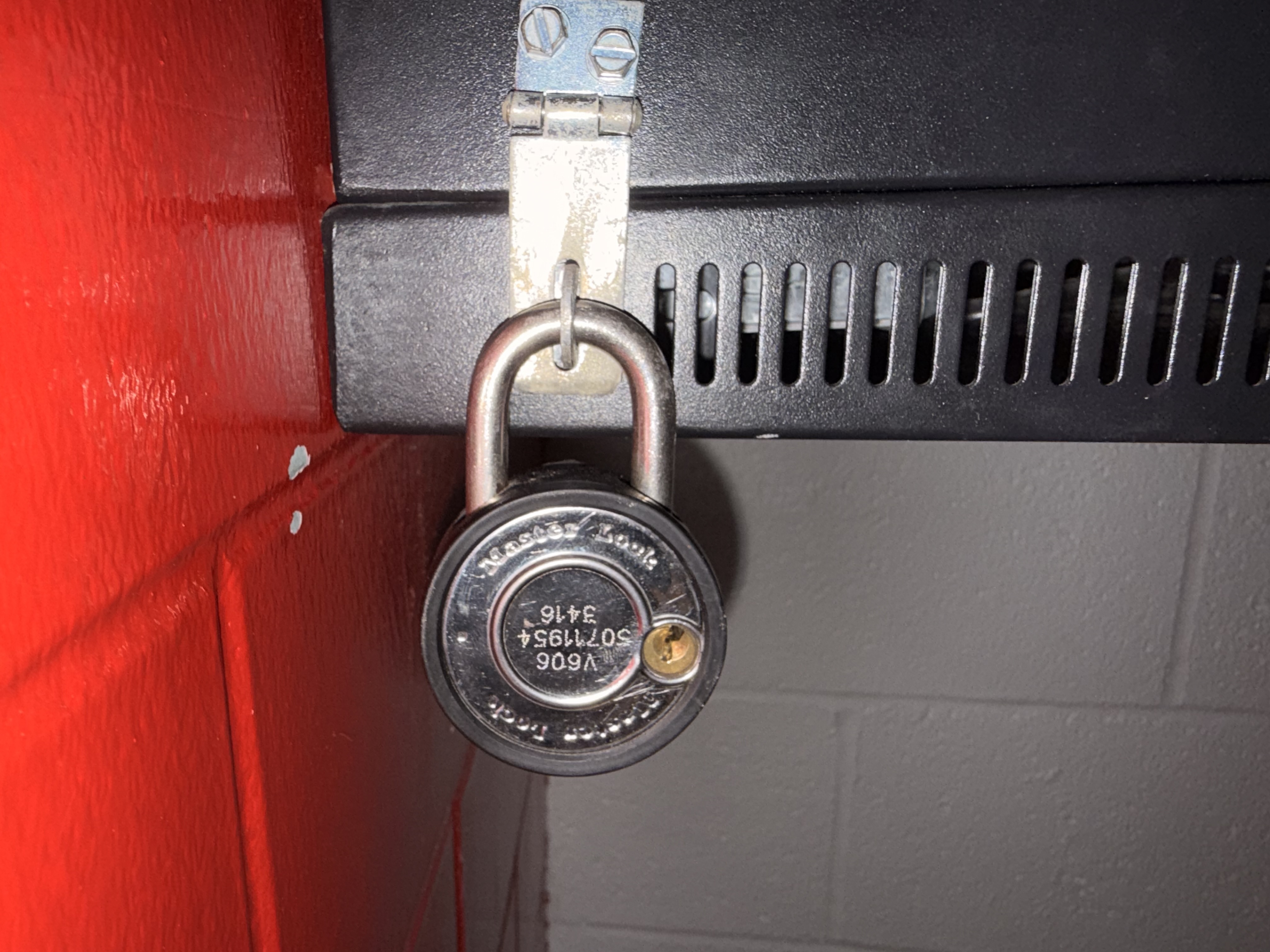
Step 1: Unlock the cabinet with a 606 Master lock key. Reach out to maintenance if you need a key.
Step 2: Turn on the power using the lightswitch inside the cabinet.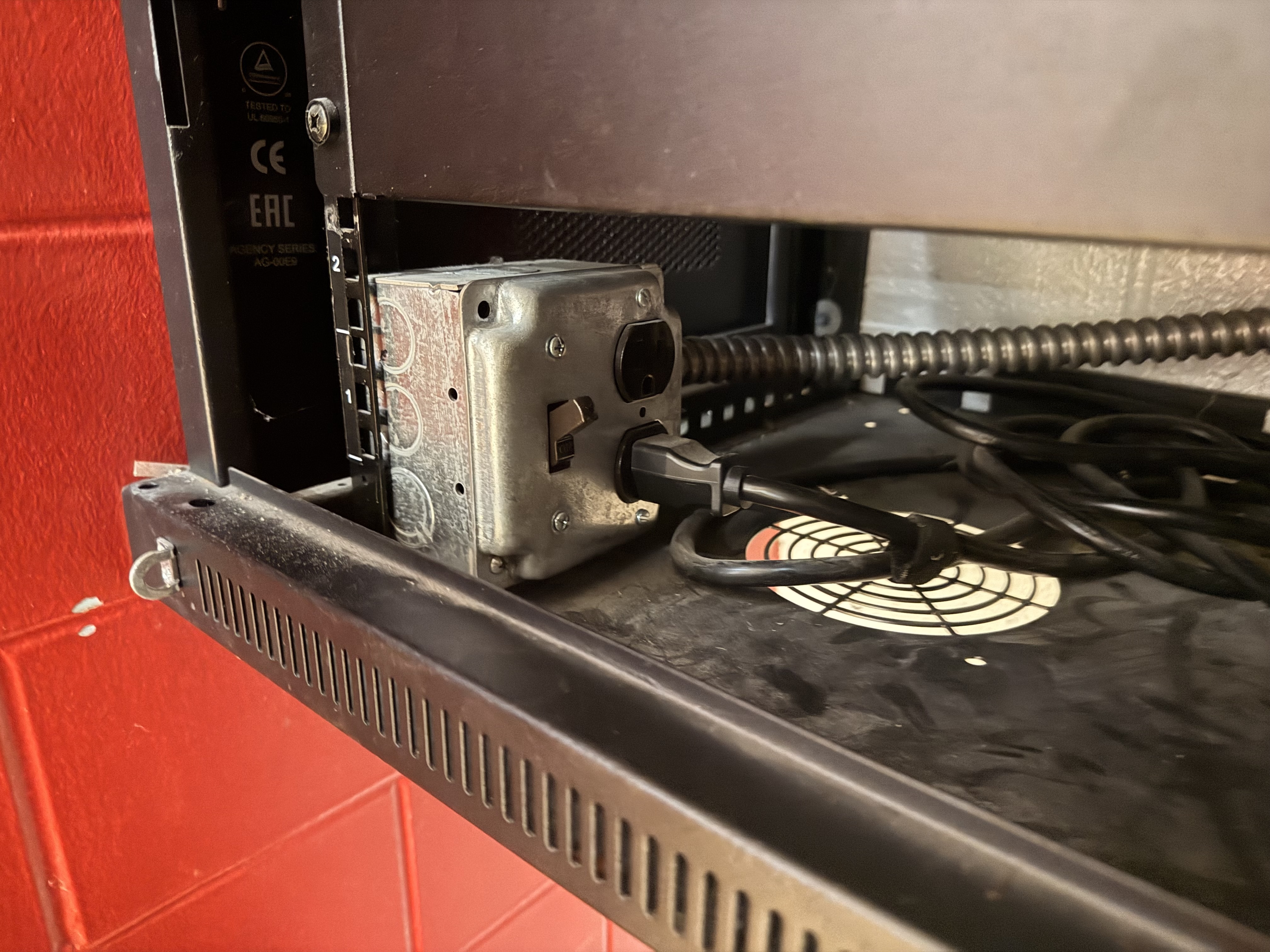
Step 3: Open the drawer inside the cabinet.
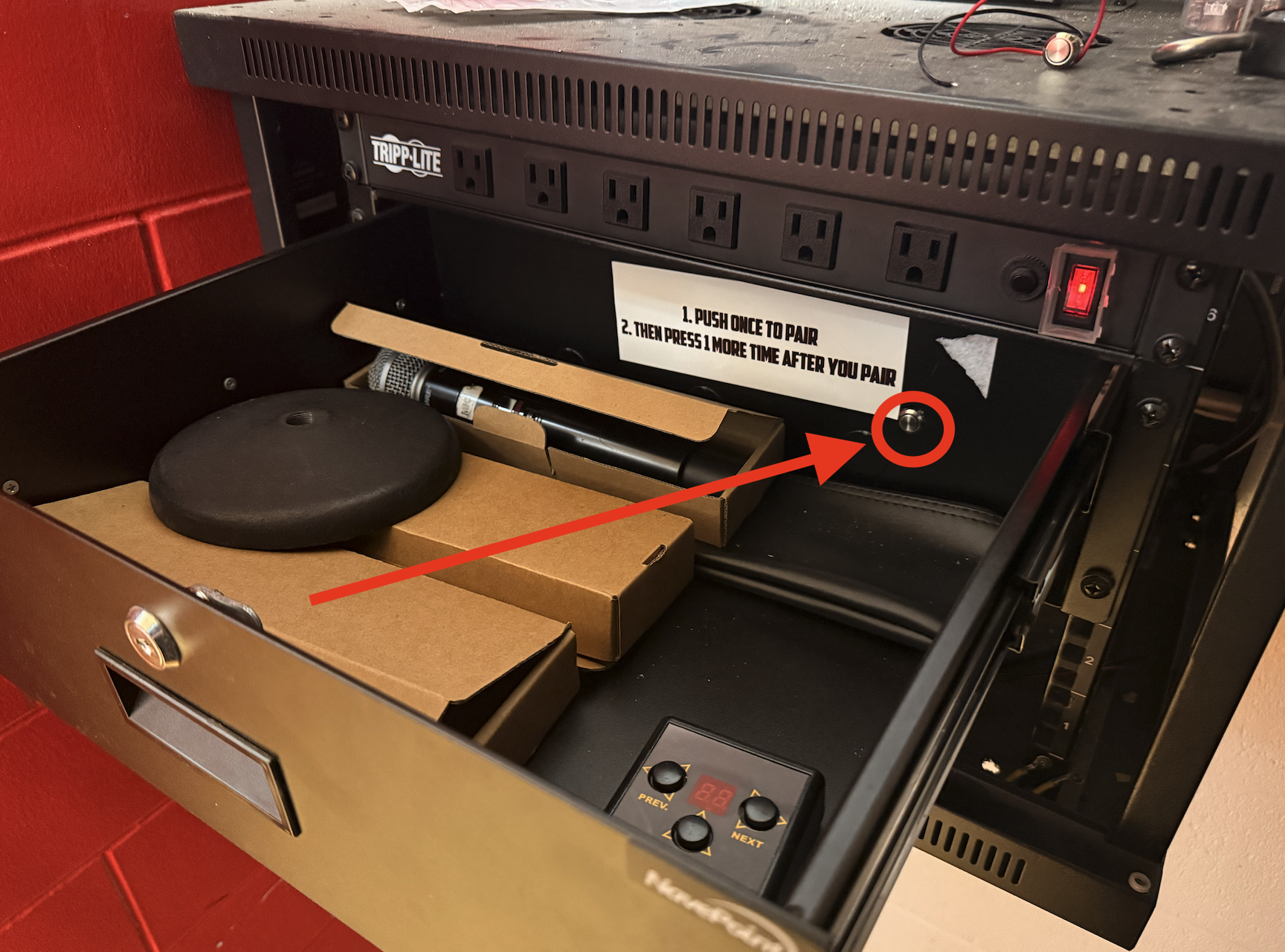
Step 4: Depress the pairing button. The button will latch in "paring mode." You will not hear a beep. Open your device's bluetooth settings and look for RX-BT10-05C653. (You may opt to rename the deivce in your device's settings if desired.)
Step 5: Push the button again to exit pairing mode. Leaving the device in pairing mode will unpair your device.
It is advised to lock the cabinet for games so the pairing button or power switch can't accidentally be flipped.
Turning off the system
Turning off the audio system will significantly lengthen its life and keep us from having to do costly, and slow repairs. Help us make sure your event has sound by turning off the sound system when you are done with it.
Step 1: Unlock the cabinet with a 606 key
Step 2: Flip power switch off.
Step 3: Relock cabinet.
Was this article helpful?
That’s Great!
Thank you for your feedback
Sorry! We couldn't be helpful
Thank you for your feedback
Feedback sent
We appreciate your effort and will try to fix the article