
Learn display settings with the Mirror or Extend your Monitor article.
https://kcstech.freshdesk.com/support/solutions/articles/126493-mirror-or-extend-your-monitor
 Computer Sound
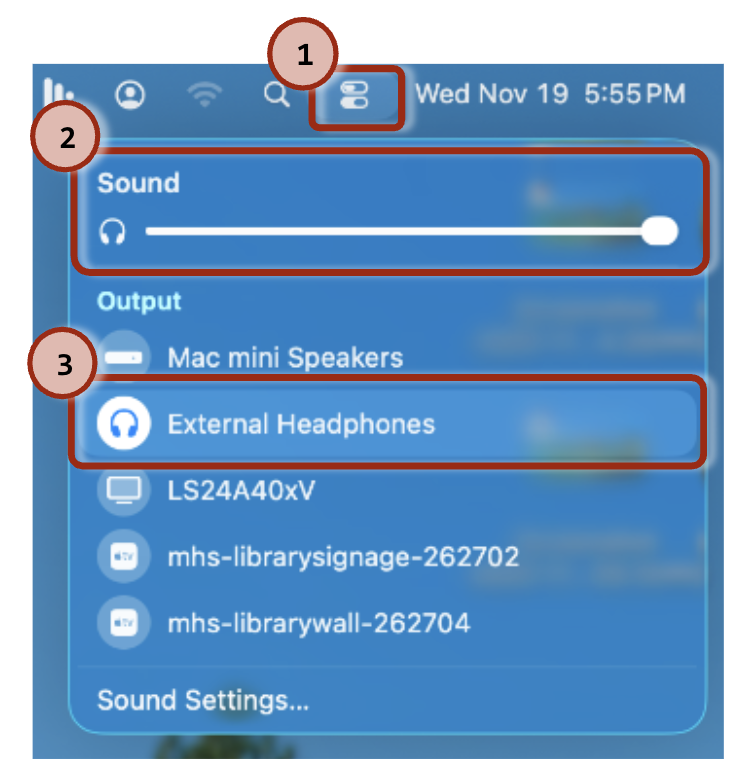
To get sound from the computer to the classroom speakers (instead of the TV):
Select "External Headphones" as the Output source.
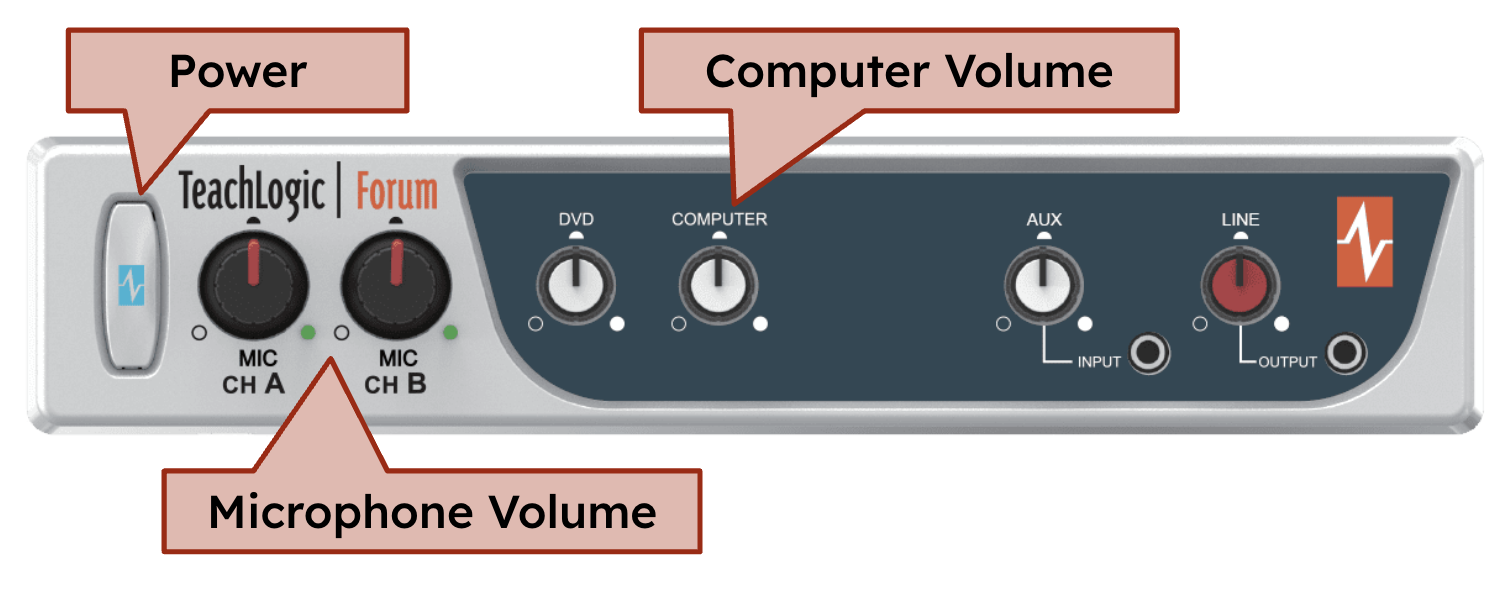
 Speaker Control
Amplifier Status:
Blue = ON
Amber = STANDBY
Red = OFF
Volume: Use the computer volume dial to adjust the sound.
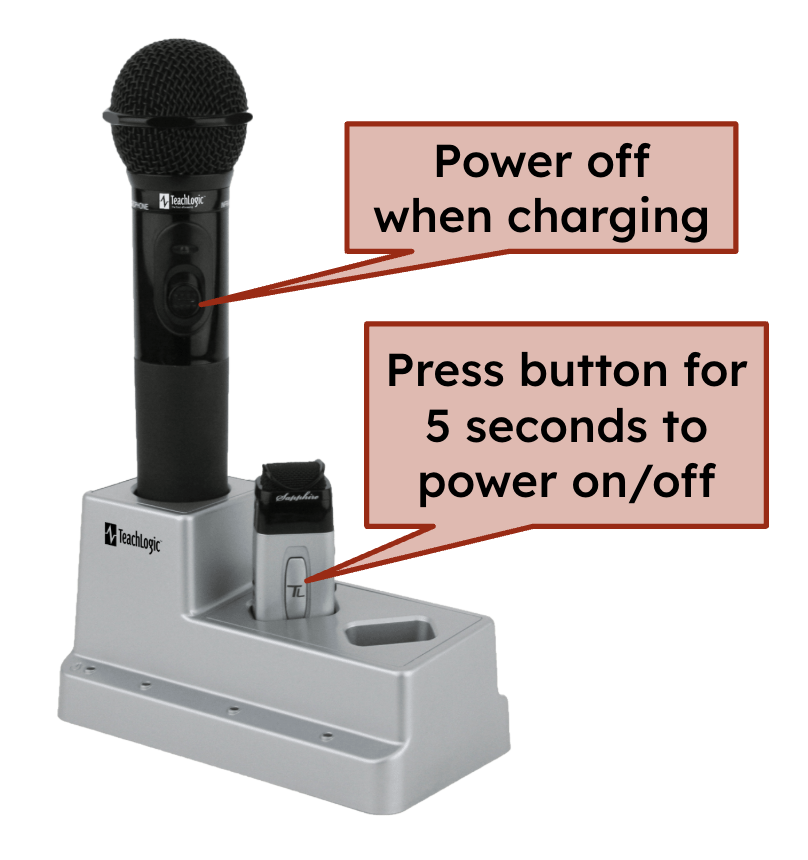
 Microphones
Was this article helpful?
That’s Great!
Thank you for your feedback
Sorry! We couldn't be helpful
Thank you for your feedback
Feedback sent
We appreciate your effort and will try to fix the article