You most likely need to clear your browser cache. Here are typed and image directions on how to clear browser cache in Google Chrome.
Clear cache directions:
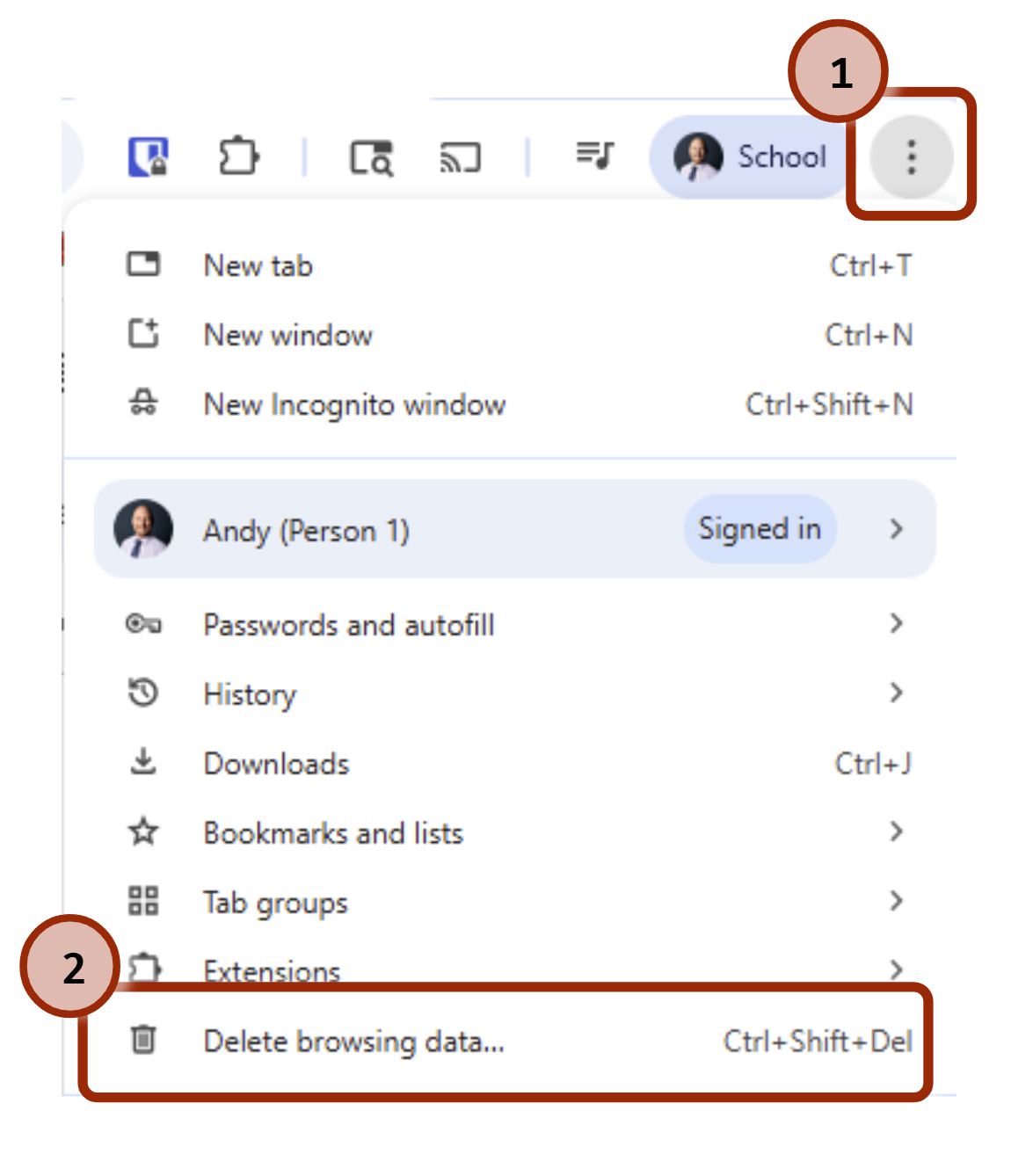
- Select the Chrome ellipsis menu (three dots)
- Click on "Delete browsing data..."
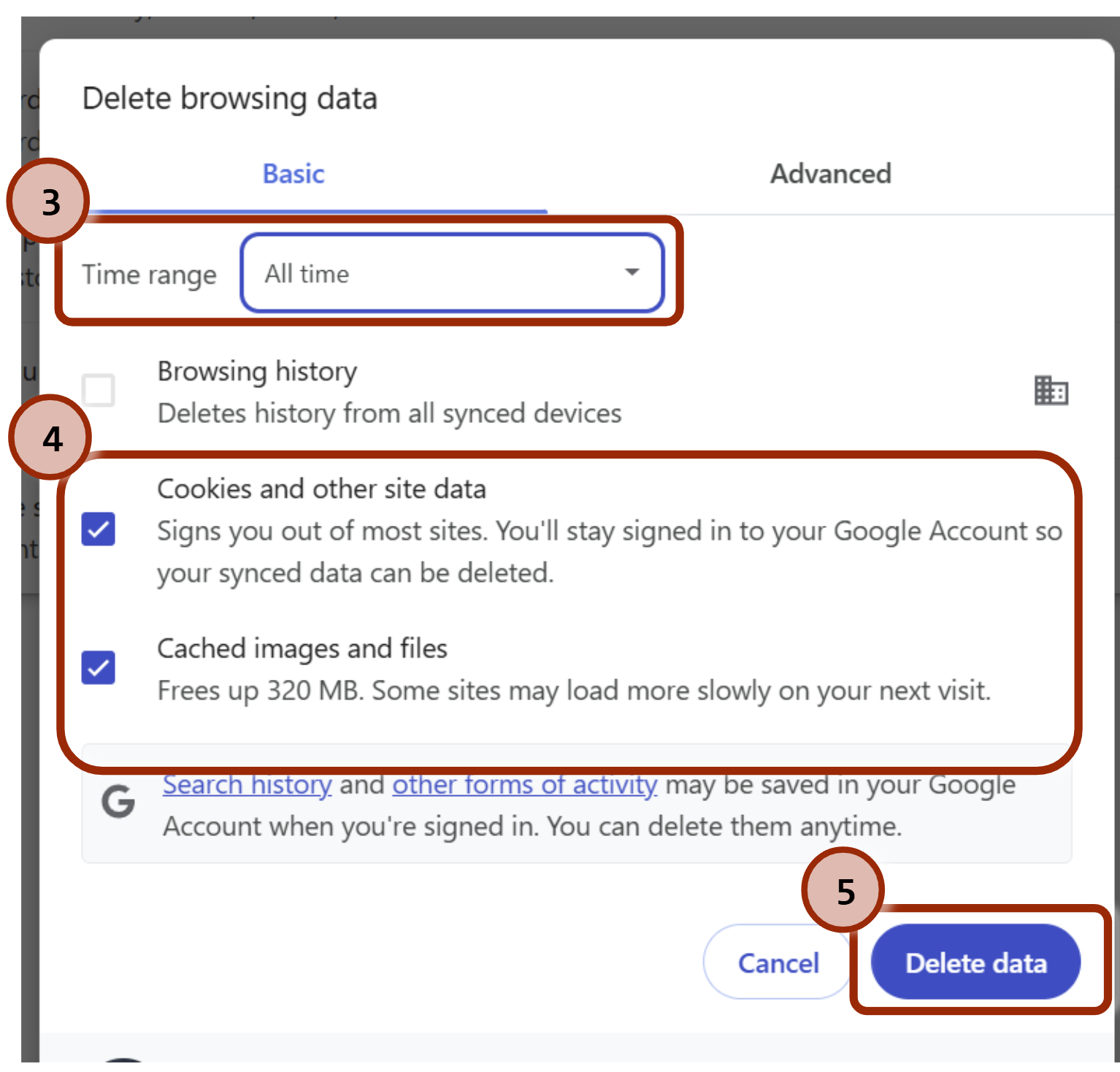
- Make sure "Cookies and other site data" and "Cached images and files" is checked
- Select "All time" from the Time range.
- Click on the Clear Data
Was this article helpful?
That’s Great!
Thank you for your feedback
Sorry! We couldn't be helpful
Thank you for your feedback
Feedback sent
We appreciate your effort and will try to fix the article