Follow these steps if one of your TVs is not working.
1. Turn both TVs off.
2. Go to the manager app on the desktop.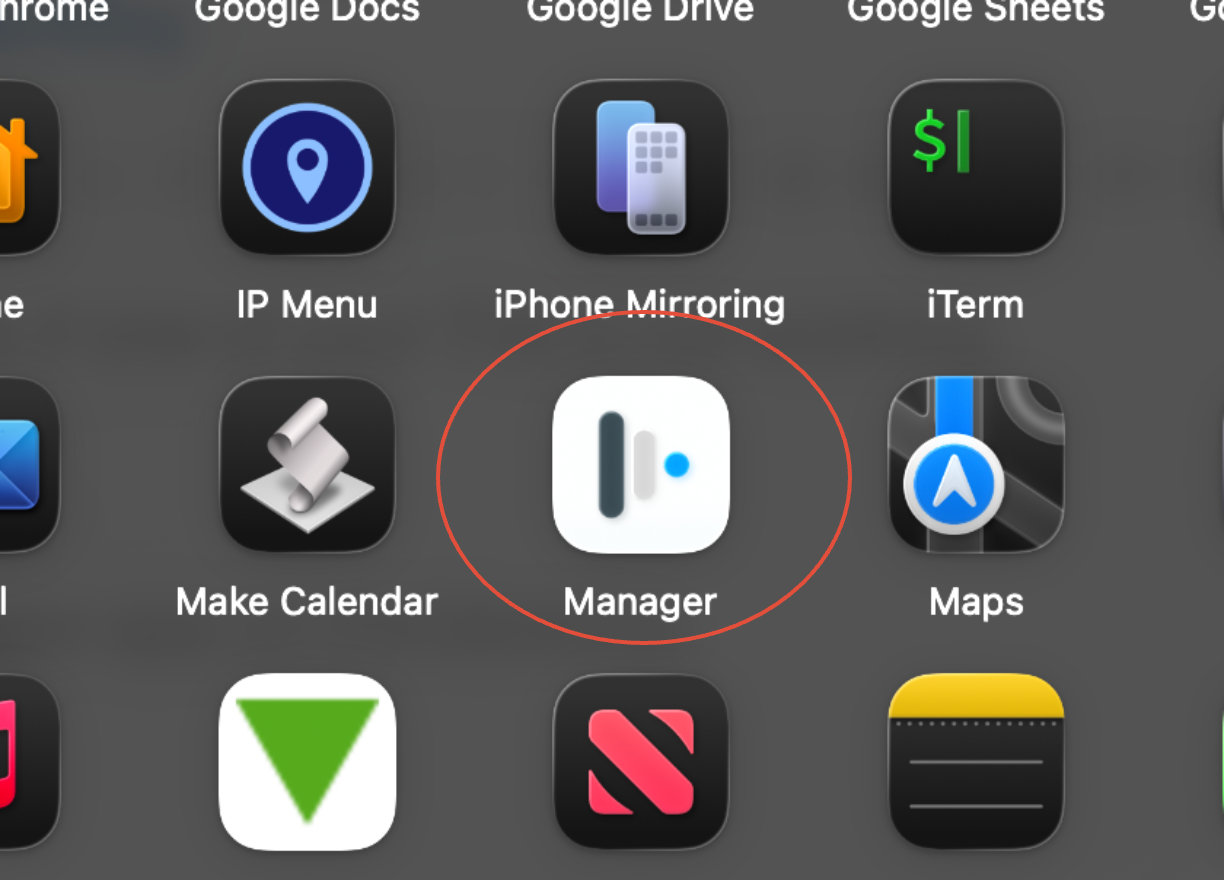 3. You will then probably see "Class Manager" go to the drop-down menu and select "self-service."
4. It will lead you to this screen, on this screen select "My Scripts". Click Execute Now! You will then see a message to reboot, Reboot your computer.
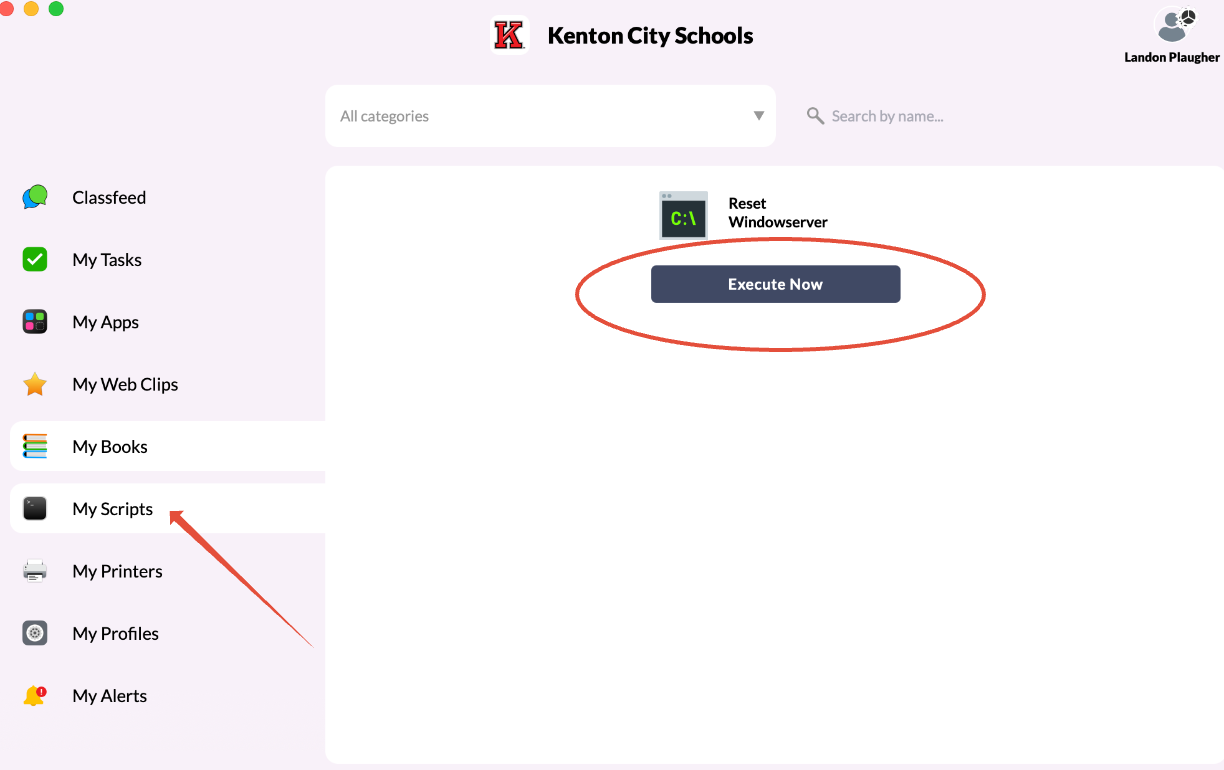
5. After this, sign in as normal.
Was this article helpful?
That’s Great!
Thank you for your feedback
Sorry! We couldn't be helpful
Thank you for your feedback
Feedback sent
We appreciate your effort and will try to fix the article