Lunch Counts
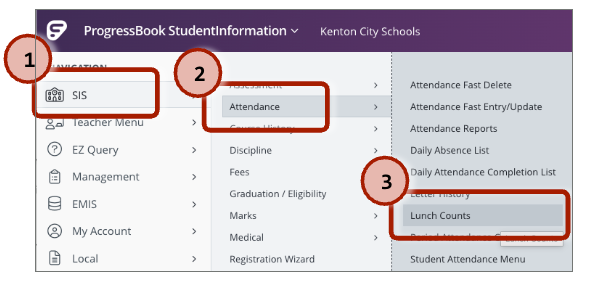
Lunch counts are calculated by copying the lunch count numbers from SI -> Attendance -> Lunch Counts to the SI Lunch Counts tab on the KES Lunch Counts Sheet.
Navigate to the Lunch Counts page on SI:
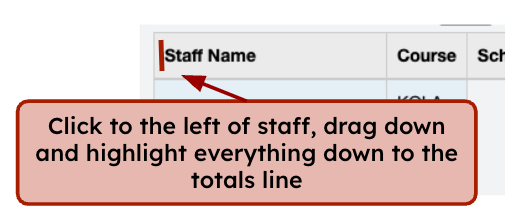
Make sure Kenton Elementary School is selected:Click and highlight all of the data on the page:
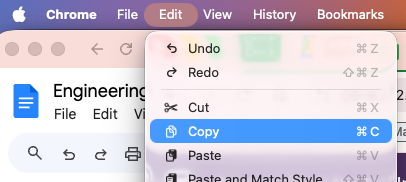
Down to here. This is what it looks like selected:Click on Edit -> Copy
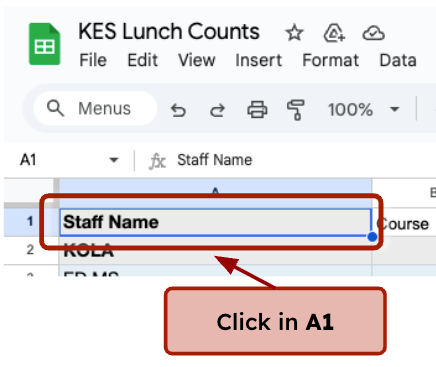
Click in A1:
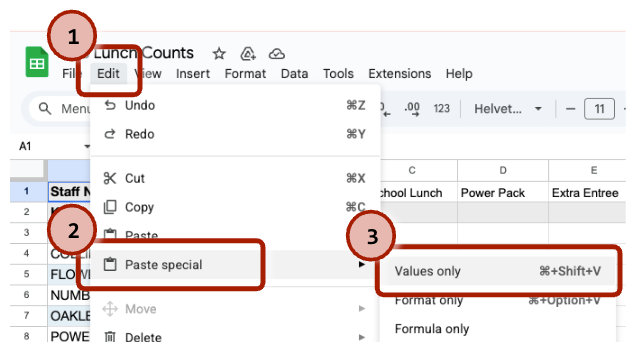
Use the Edit menu in Google Sheets, select Paste special -> Values only


6. Switch to the Auto 2026 Daily tab and print that sheet for the cafeteria workers.
Was this article helpful?
That’s Great!
Thank you for your feedback
Sorry! We couldn't be helpful
Thank you for your feedback
Feedback sent
We appreciate your effort and will try to fix the article